What Is Flue 1.0 Beta? New Features and Quickstart Caveats from Local Testing
Hands-on notes on running the Astro team's agent framework Flue 1.0 Beta locally, covering init, build, and run behavior plus the rough edges I hit.
This article is part of " Flue Practical Guide " series (Part 2) — 7 posts

The AI agent framework Flue hit 1.0 Beta recently. I had trouble getting a feel for it from the release notes alone, so I ran it locally.
The announcement said Agent / Workflow / Channels now come together as a single story, so I started by copying the Workflow sample code and trying to run it as-is.
What Flue 1.0 Beta is
Flue 1.0 Beta is a TypeScript AI agent framework built by the Astro developers. In this Beta release, the direction is clear: instead of one-off LLM calls, it handles agents and deterministic workflows on the same foundation, and folds external service integration, UI, and observability into one configuration.
The main additions and expansions are as follows:
- Agent, which handles autonomous processing, and Workflow, which lets you control execution steps in code
- Channels, which pass events from Slack, GitHub, and similar services to an Agent
@flue/react, which streams agent and workflow state to a UI- Observability, which connects to OpenTelemetry, Braintrust, Sentry, and others
- CLI, which adds offline documentation and integration features
| Feature | Role | Scope of this test |
|---|---|---|
| Agent | Has tools and skills, solves problems autonomously | Overview only |
| Workflow | Executes finite steps defined by the developer | Built the sample and checked the run entry point |
| Channels | Connects events from Slack, GitHub, Linear, etc. to an Agent | Not tested |
| React | Handles agent and workflow state via @flue/react | Not tested |
| Observability | Connects execution data to OpenTelemetry and others | Not tested |
Before touching it, I also clarified what kind of framework Flue is at its core.
Before Trying Flue, I Clarified What Kind of Framework It Is https://llm-lab.dev/posts/flue-framework-overview/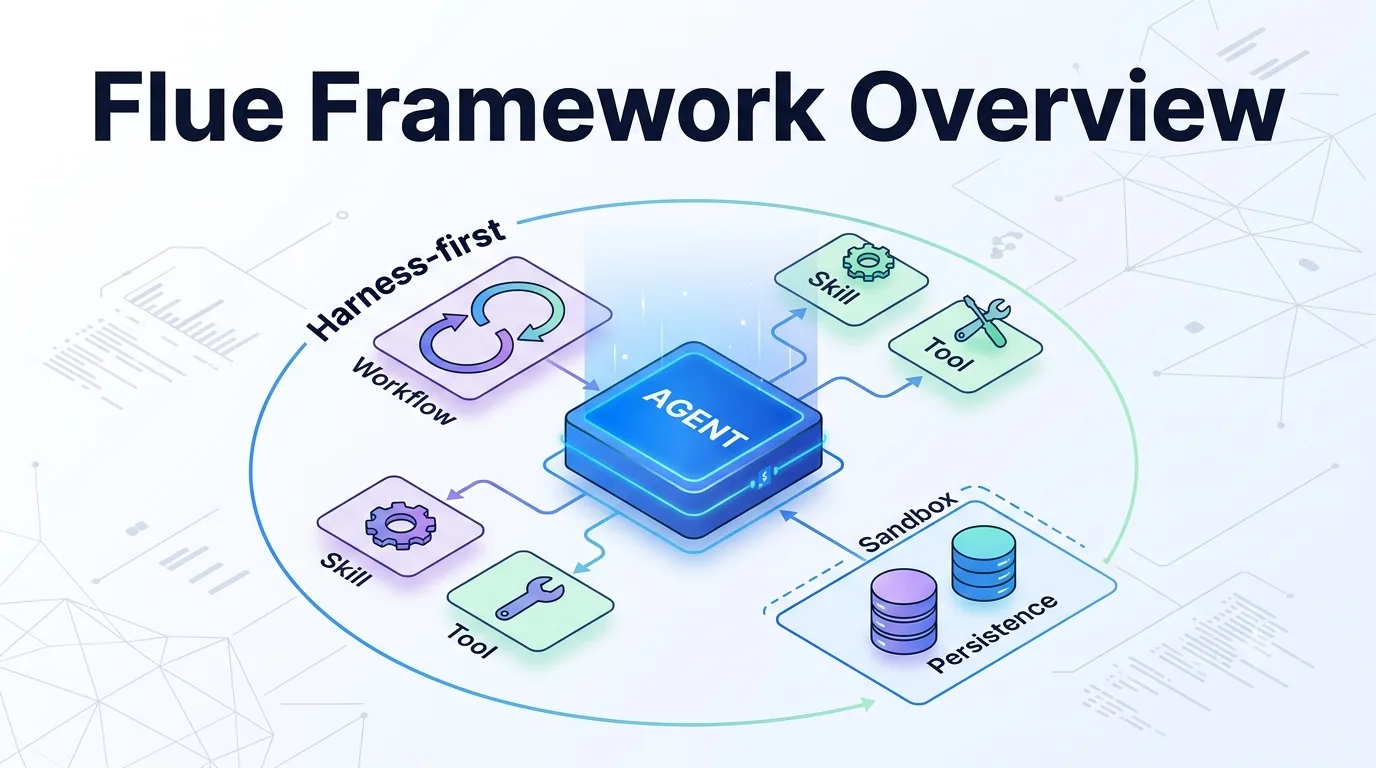
Environment and installation
On Node 22, running npm install @flue/runtime and npm install -D @flue/cli went through without a hitch. The CLI was pinned to 1.0.0-beta.1, which matched expectations.
Reproduction steps from installation to execution
For the test, I set up runtime and CLI in an empty directory, generated a Node configuration, then built a Workflow. The flow was:
npm install @flue/runtime
npm install -D @flue/cli
npx flue init --target node
npx flue build --target node
npx flue run summarize --target node --payload '{"text":"Summarize Flue Workflow briefly"}'
init generates flue.config.ts. Next, placing the Workflow in src/workflows/summarize.ts lets build auto-detect the file. The final run requires a model provider API key, so on a machine without one configured it stops just before the model call.
The Quickstart behavior diverged immediately
The official quickstart prompt assumes the experience of “run npx flue init to create a project.” But when I actually ran it, this happened:
Missing required --target flag for init command.You have to explicitly pass --target node or --target cloudflare to proceed. The error message itself is friendly, and it prints usage right there, so it is a minor snag. Still, it felt slightly out of step with the promise that “just paste the prompt into a coding agent and it works.” Once I added --target node, the generated flue.config.ts was thin:
| Command | Result | Assessment |
|---|---|---|
npx flue init | Stops with Missing required --target flag for init command. | Quickstart description alone is missing the target |
npx flue init --target node | Generates flue.config.ts | Executable form for Node testing |
npx flue init --target cloudflare | Specifies a Cloudflare target | Choose this for Cloudflare testing |
import { defineConfig } from '@flue/cli/config';

export default defineConfig({
	target: 'node',
});
The command does not generate agent or workflow boilerplate, so I treated init as strictly a scaffold for the config file.
The Workflow sample builds cleanly
I dropped the summarize workflow sample from the blog post into src/workflows/summarize.ts and ran flue build --target node. The workflow was auto-detected and the build completed without issues. The CLI convention of reading from under src/workflows felt natural and close to Astro’s file-based routing.
However, a MODULE_TYPELESS_PACKAGE_JSON warning appeared during the build. This is the usual Node gotcha: without "type": "module" in package.json, ESM re-parsing kicks in. It is a common caution on the Node side, but I felt the beta template skipping this small step was a shame for a first-time experience.
Execution stops as expected without an API key
Running flue run summarize --target node --payload '{"text": "..."}' issues a local run ID and prints logs showing SQLite-based execution management is active. After that, it stops with the expected error:
Error: Workflow failed: [internal_error] prompt failed: No API key for provider: anthropicThis is not a bug; it is simply because I did not provide an API key in my test environment. What caught my attention was that a run-specific ID was visible before the error. I could see the “append-only log as the source of truth via Durable Streams” design described in the post actually functioning even during local execution. However, I could not trace exactly where and how this log is persisted in this short test, so that remains unverified.
The docs command actually works offline
A quietly nice discovery was flue docs. Running npx flue docs returned an offline list of about 110 pages, covering API references and channel-specific documentation. If the framework is designed assuming a coding agent will do the work, keeping a locally searchable copy of the docs like this is a much better design for reducing agent research costs than fetching documentation over the network every time.
Summary
This was a short test, so the scope I could dig into was limited. I confirmed there is a small gap between the Quickstart experience and the CLI’s actual behavior around init, that the build itself passes cleanly with sample code as-is, and that the execution management foundation shows signs of a Durable Streams-like mechanism. The full Agent sample (with tools / skills / sandbox) requires an API key, so I will test that separately in another post.
I have also covered the responsibilities of Flue’s Agent, Skill, and Sandbox, a working GitHub issue triage agent, and a UI normalization layer shared with Eve.
Before Trying Flue, I Clarified What Kind of Framework It Is https://llm-lab.dev/posts/flue-framework-overview/
Running a GitHub Issue Triage Agent with Flue 1.0 Beta https://llm-lab.dev/posts/flue-1-0-beta-issue-triage-agent/ 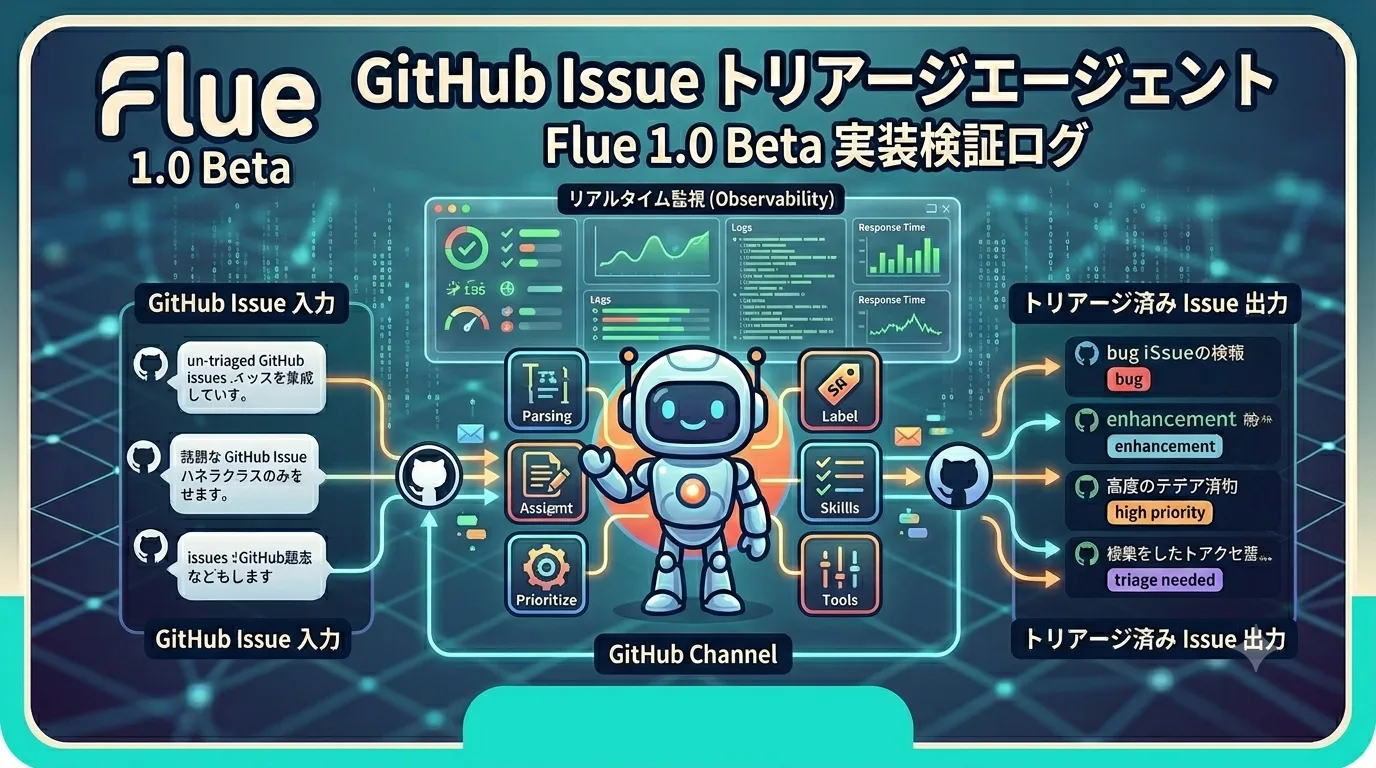 Tsurezure Agent OPS Normalizing Vercel Eve and Flue Tool States to Replay Approval Waits and Partial Success A replay experiment that maps Flue tool failures and retries into the same UI states as Eve while preserving partial success. https://llm-lab.dev/en/posts/agent-ui-tool-state-normalization/