Eve's TUI vs HTTP Event Streams: A Side-by-Side Look at Tool Calling
A hands-on log comparing how the same weather tool call looks in Vercel's Eve agent framework when observed from the TUI versus the HTTP API, separating the developer-friendly display from the integration-friendly event stream.
This article is part of " Getting Started with Vercel Eve " series (Part 5) — 6 posts
Can You Pipe the TUI View Straight Into External Systems?
In the previous article, I confirmed how to stream Eve’s tool calling into Langfuse. I also saw that the get_weather tool invocation can be observed from hooks and instrumentation when running through the TUI.
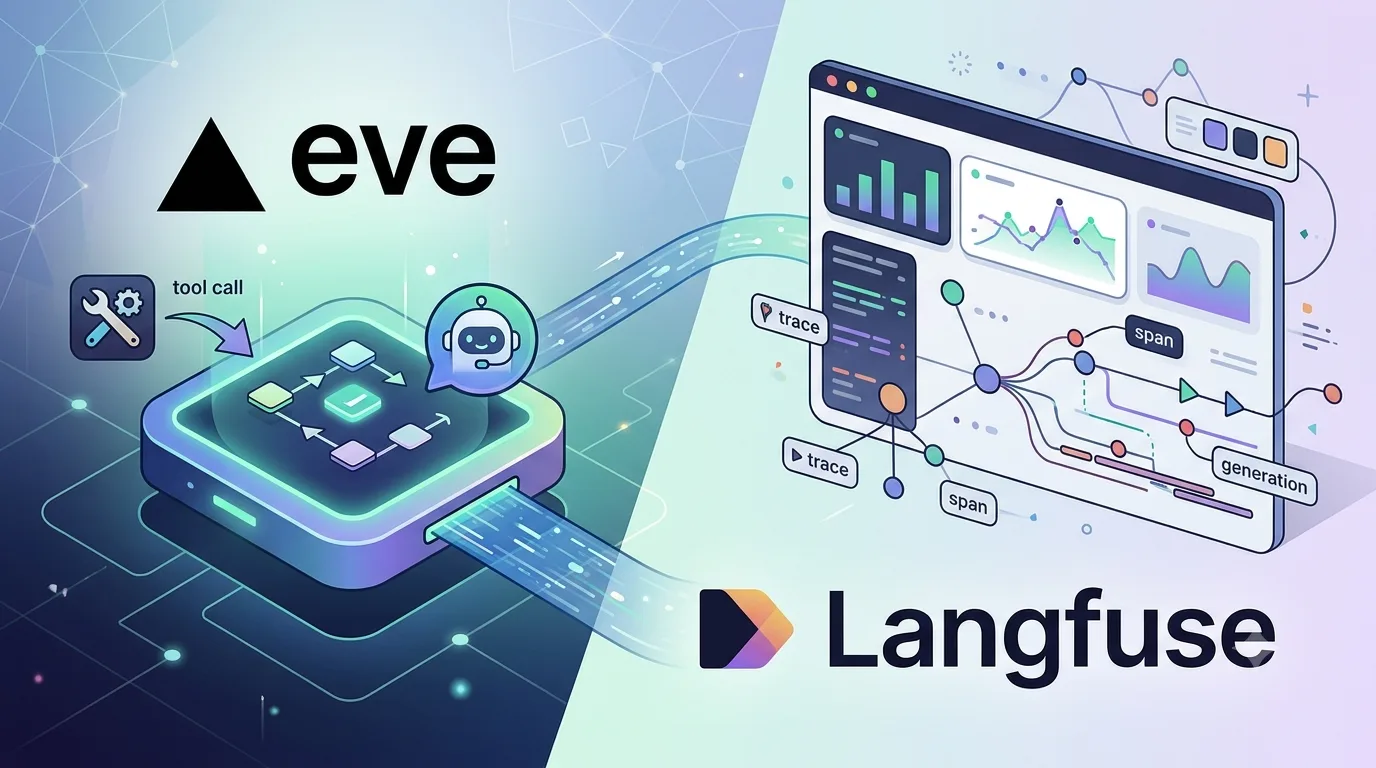
The TUI is quite readable, but when connecting to external UIs or observability platforms, what you need is not a human-formatted display — it is an event stream. Knowing that “a tool was called” in the TUI is one thing; knowing which events to pick up from the HTTP stream to reconstruct the same fact is another.
This time, I ran the same weather tool call through both the TUI and the HTTP API and mapped out the granularity at which Eve represents execution. The Eve version tested was 0.11.x, and the target was a local dummy weather tool.
The Minimal Tool Used for Testing
The tool itself is the same small one from before: it takes a city name and returns fixed weather data.
// agent/tools/get_weather.ts
import { defineTool } from "eve/tools";
import { z } from "zod";

export default defineTool({
  description: "Get the current weather for a city. Returns dummy data for local testing.",
  inputSchema: z.object({
    city: z.string().describe("City name, e.g. Tokyo"),
  }),
  async execute({ city }) {
    return {
      city,
      temperatureC: 26,
      condition: "partly cloudy",
      note: "this is dummy data from a local check, not a real weather API",
    };
  },
});
What matters here is not the weather information itself. It is how the model’s call to get_weather, along with its input and output, appears in Eve’s event stream.
The TUI Excels During Development
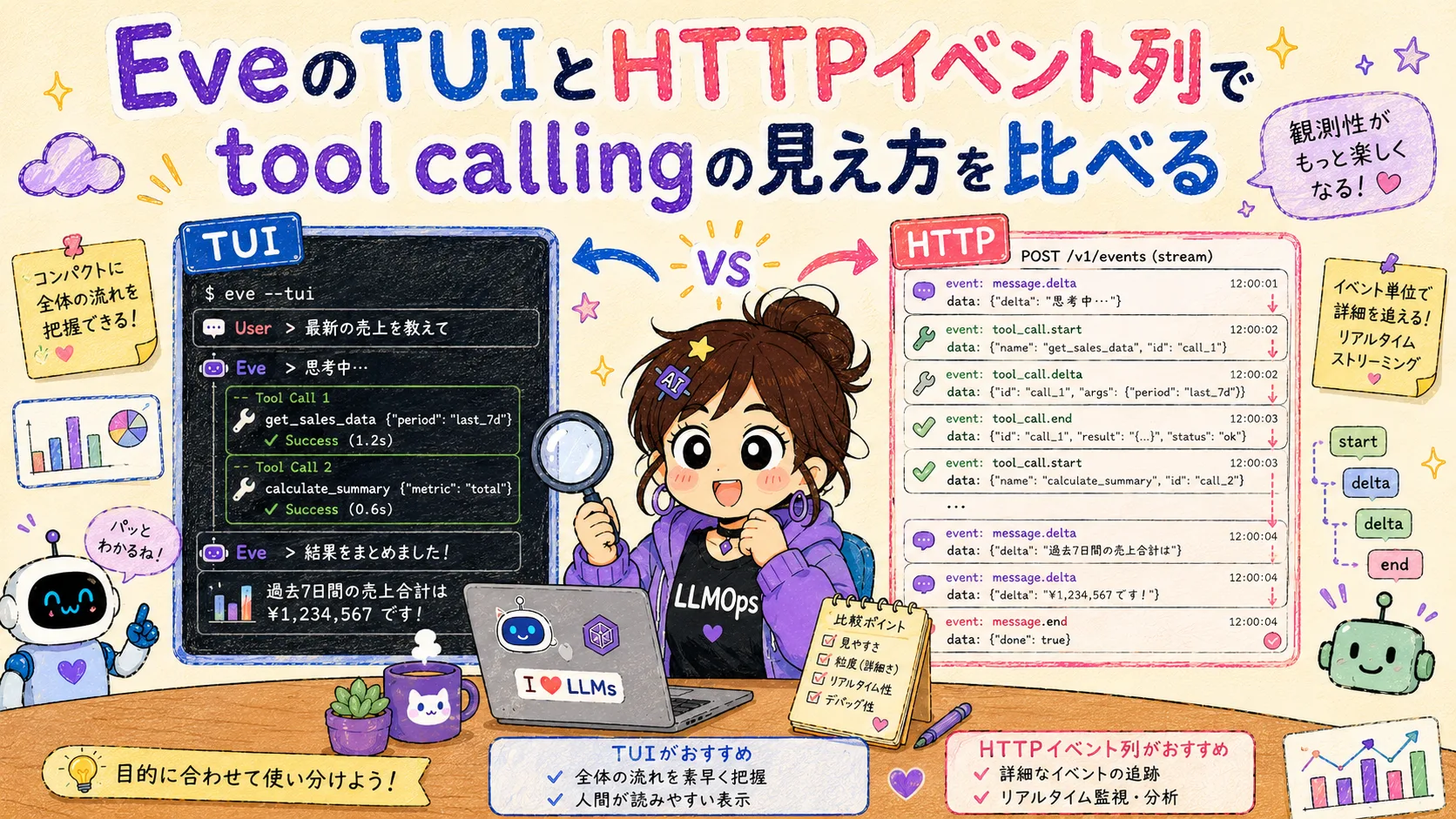
When I send the same question through the TUI, Eve formats the tool call into a human-readable view. I can see on one screen that get_weather was called, the input was city="Tokyo", and the returned temperature and conditions were used in the conversation.
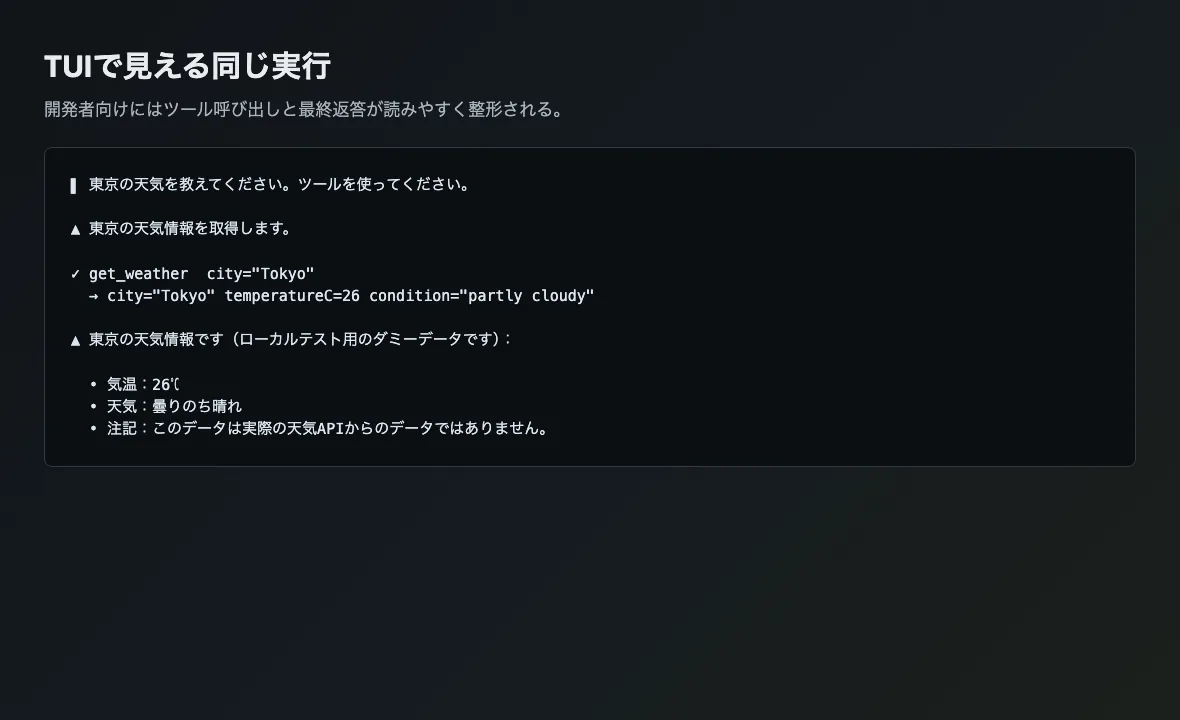
For checking “whether a tool was just called” or “whether the model read the tool result” during development, the TUI is convenient enough. You can follow the flow without reading fine-grained logs.
On the other hand, the TUI display is a developer-oriented processed view. When feeding it into a custom UI or an observability platform like Langfuse, you need to separately decide which events to use as evidence for reconstructing the tool call.
The HTTP API Exposes an Event Stream
Next, I sent the same single turn via the Eve Client and inspected the returned event stream. The script used here is not the official Eve CLI but a small one I prepared for testing. It sends one turn to a running Eve server and extracts only the parts relevant to confirming tool calling from the response events.
import { Client } from "eve/client";

const client = new Client({ host: "http://127.0.0.1:3000" });
const session = client.session();
const response = await session.send("東京の天気を教えてください。ツールを使ってください。");
const result = await response.result();

console.log(result.events.map((event) => event.type));
When executed, the tool call appears as a pair of actions.requested and action.result. The former contains the action requested by the model; the latter contains the execution result. The final response flows separately as message.completed, so you can handle tool output and user-facing answers independently.
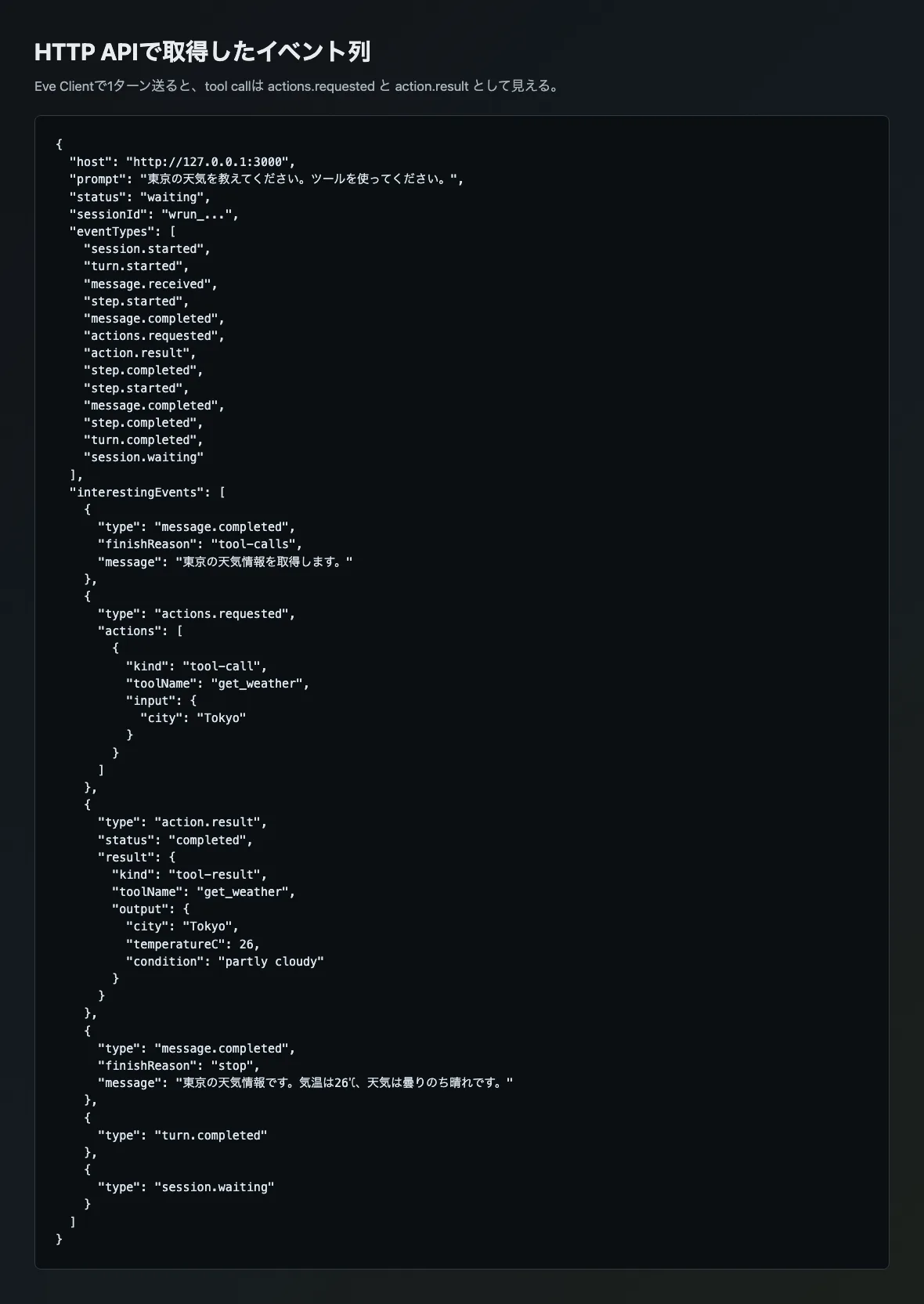
In this experiment, the core of the event stream was the following sequence.
| Event | What can be observed |
|---|---|
message.completed with finishReason: "tool-calls" | A short utterance before the model proceeds to the tool call |
actions.requested | The called tool name, input, and call-level information |
action.result | Tool execution success or failure, output, and tool name |
message.completed with finishReason: "stop" | The final response after reading the tool result |
session.waiting | The session entering a waiting state for the next input |
Only at this point can the fact “called a tool and answered” that was visible in the TUI be decomposed into a structure usable for external integration. For observability or custom UIs, saving only the final response is not enough. Unless you at least capture actions.requested and action.result, you will not be able to tell later which tool was called, with what input, and what result it returned.
When to Use the TUI vs the HTTP Event Stream
Within the scope of this test, the TUI and the HTTP event stream are not better or worse — they have different purposes. The TUI is a view that lowers cognitive load during development; the HTTP event stream is material for external systems to consume.
From an AgentOps perspective, the following division of labor felt natural.
| Purpose | Best entry point |
|---|---|
| Visually confirming tool calls during development | TUI |
| Displaying progress in a custom UI | HTTP stream |
| Sending tool input and output to Langfuse, etc. | Hook or HTTP event stream |
| Verifying tool calls in evals | Eve eval assertions |
“It looked fine in the TUI” was not enough.
What you can tell from the TUI is important, but that display cannot be reused as-is as a production record format. Conversely, the HTTP event stream alone has sufficient granularity but is a bit harder to read for human debugging. Only by looking at both can you see the boundary between the developer experience and production observability design.
What This Experiment Left Undecided
What I confirmed this time is that when sending a single turn via the Eve Client, tool calling can be observed as actions.requested and action.result. I also understood the TUI display as a human-formatted rendering of the same tool call.
On the other hand, I have not yet verified long-running custom UIs that subscribe to the HTTP stream, event delivery via channels like Slack, or cases involving multiple tools and human-in-the-loop. In particular, for pending approvals or failed tool calls, the handling of the event stream may change. It seems better to verify these separately from this “normal single-turn” case.
The practical takeaway from this experiment is simple. When designing agent observability, look at the event stream first, not the final response. After the TUI runs smoothly, decide which of actions.requested, action.result, and message.completed to persist. Only after that confirmation does the evaluation move from demo to production.